Live Scorebugs
Score overlays for your stream, controlled from your phone
Add a browser source URL to your streaming software and you have a live scorebug on your stream. Tap buttons on your phone to update scores, and the overlay changes on stream in under 200 milliseconds. It also does player highlights and sponsor logos.
Setup
Setup takes about five minutes
There's nothing to install. You copy a URL, paste it into your streaming software, and open the control panel on your phone.
Copy the overlay URL
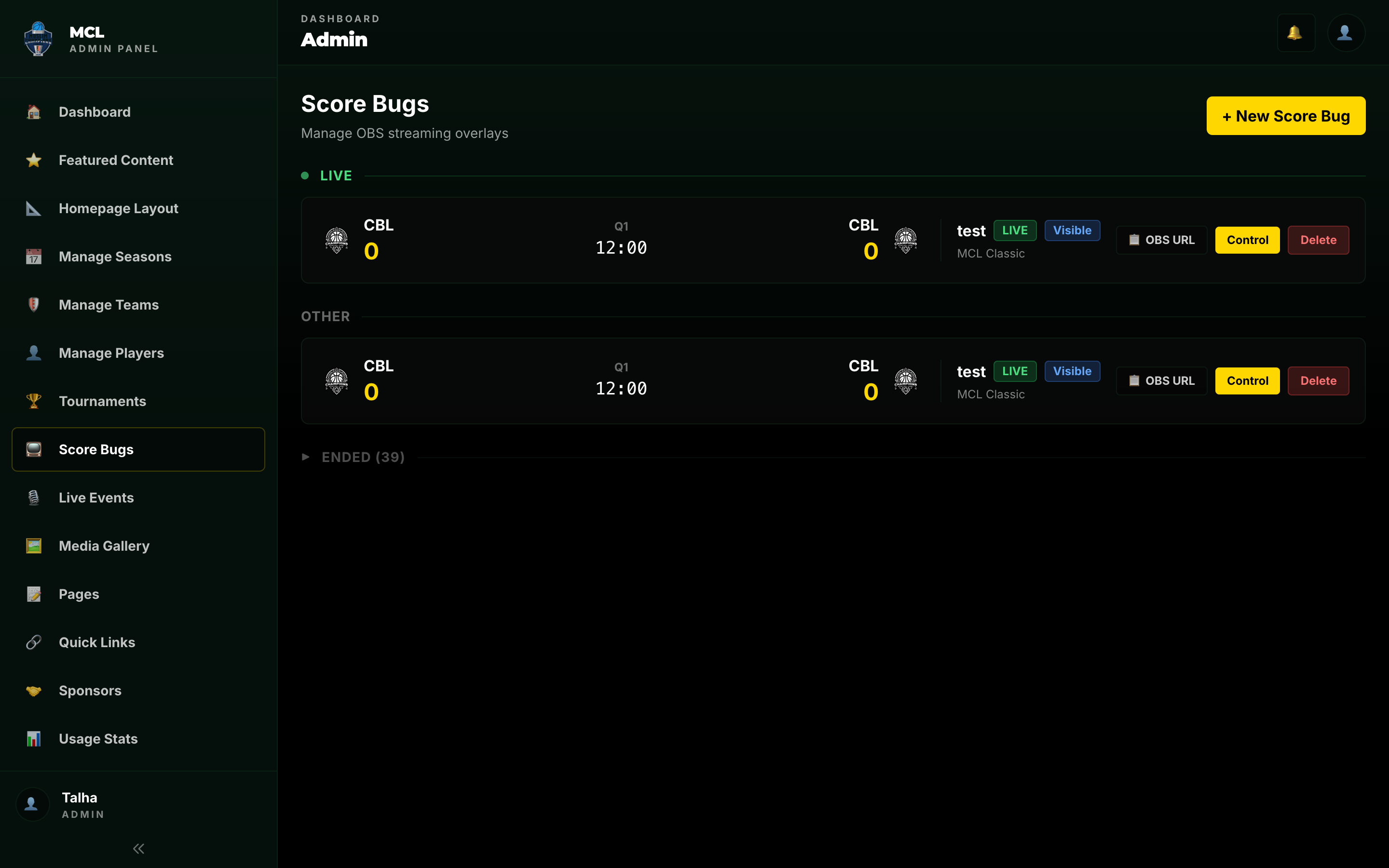
Every game gets a unique scorebug URL. Copy it from the admin panel -- it includes your league's branding and colors automatically.
Add a browser source to your stream
Paste the URL as a browser source in your streaming software -- OBS, Streamlabs, vMix, Wirecast, XSplit, Ecamm Live, or anything else with browser overlay support. Set the size and position.
Control from your phone
Open the control panel on any device. Update scores, run the clock, trigger player highlights, and pop up sponsors -- all in real time.
Control Panel
The control panel runs on a phone
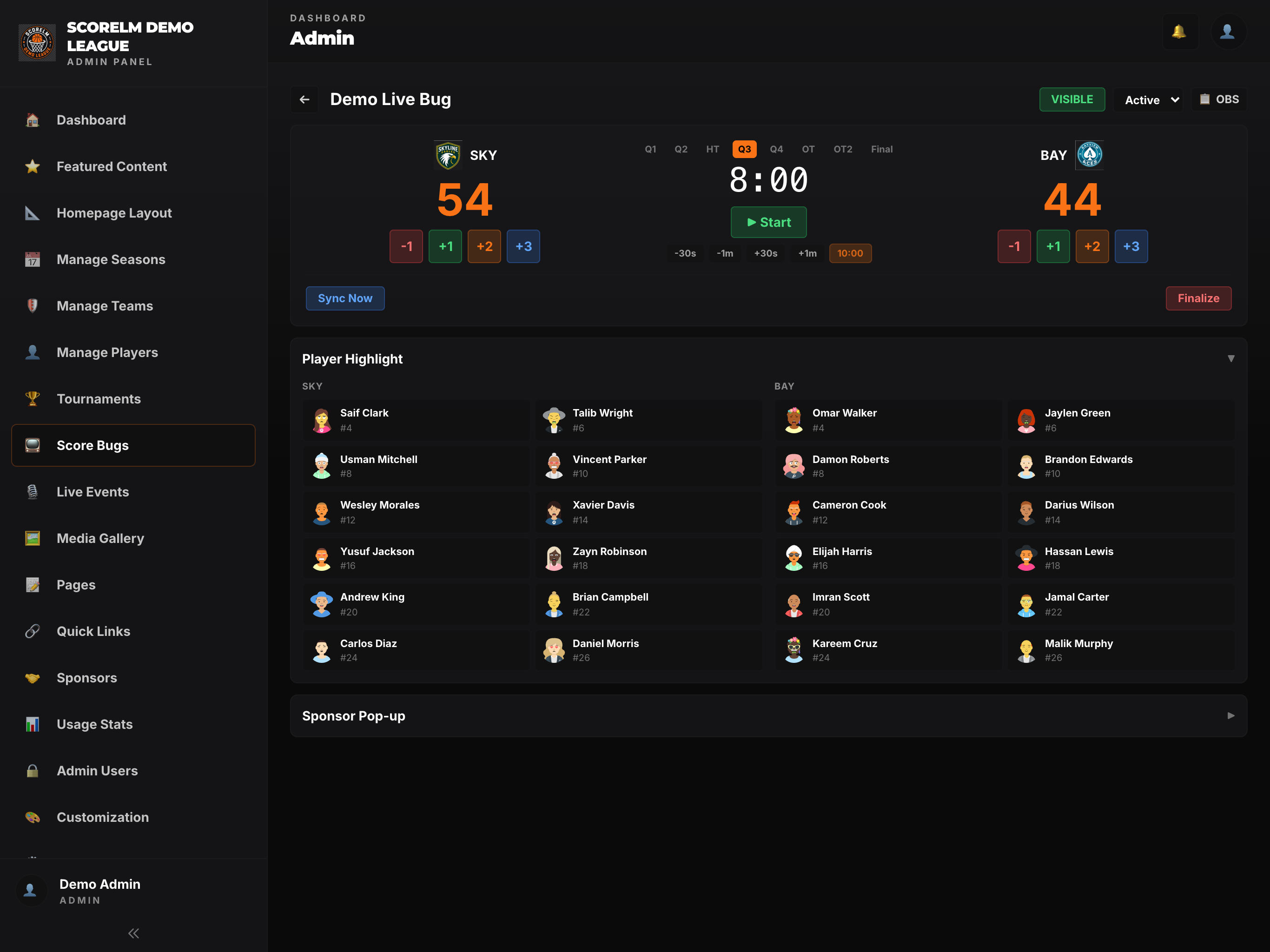
Big buttons, no clutter. One person standing courtside can run the entire scorebug with a phone or tablet. Here's what you can control.
Game Clock
Start, stop, and reset the game clock. Set period length. The overlay updates in real time -- no refresh needed.
Score Buttons
Tap to add points for either team. Undo the last change if you make a mistake. The scorebug updates instantly on stream.
Player Highlights
Select a player to pop up their headshot, name, and jersey number on the overlay. Perfect for announcing who scored or who's stepping to the line.
Sponsor Pop-Ups
Trigger sponsor logos during timeouts and breaks. Automated rotation or manual control. Show sponsors their brand is getting screen time.
Fan Favorite
Show player highlights on stream
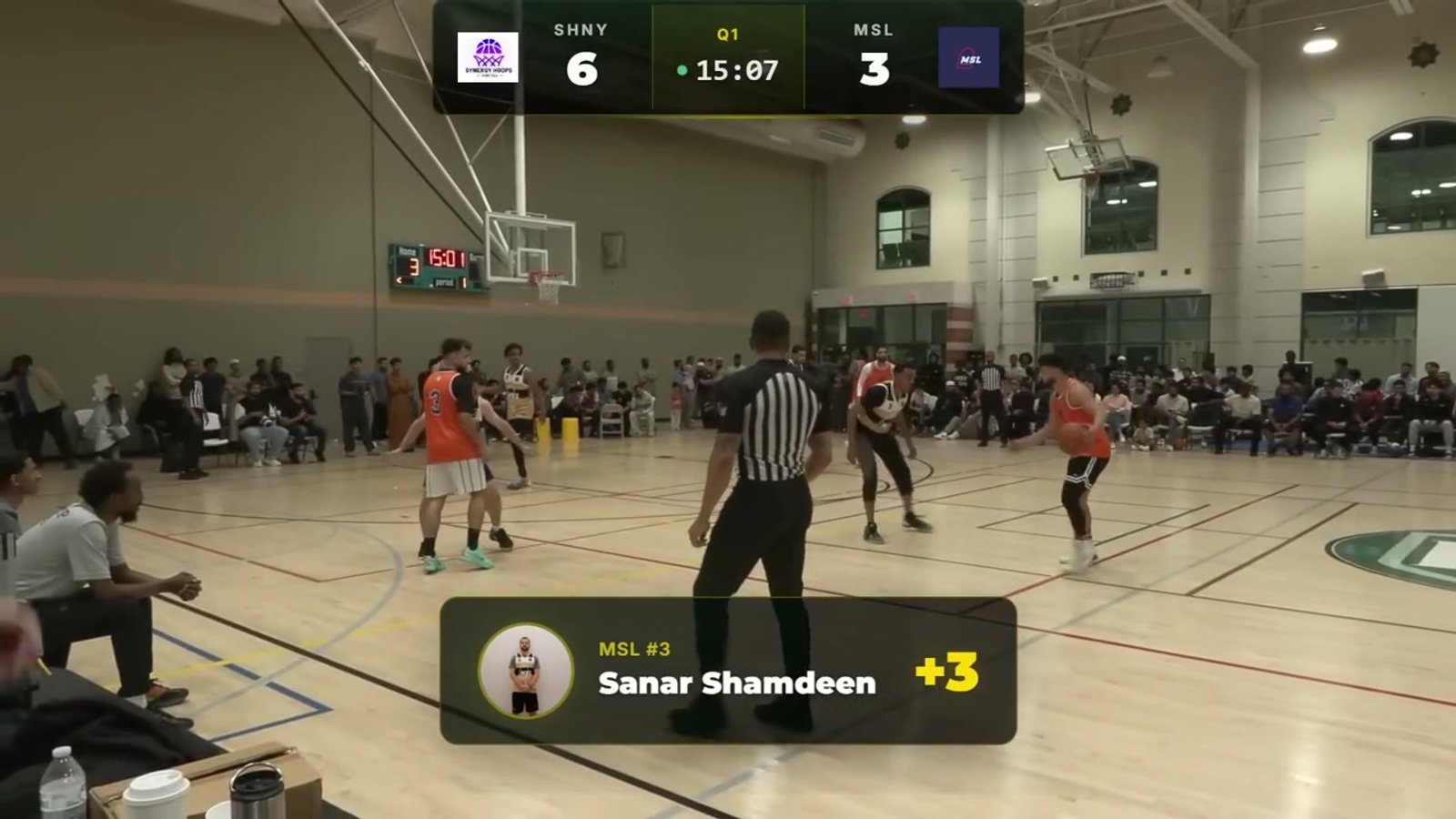
When someone scores, tap their name and their headshot, jersey number, and name pop up on the stream overlay. Players love seeing this -- they'll clip it and share it.
- Pulls player headshot and info from the roster automatically
- Animated entrance and exit -- no jump cuts
- One tap in the control panel to trigger
- Uses your league's colors and branding
Monetization
Show sponsor logos on the stream
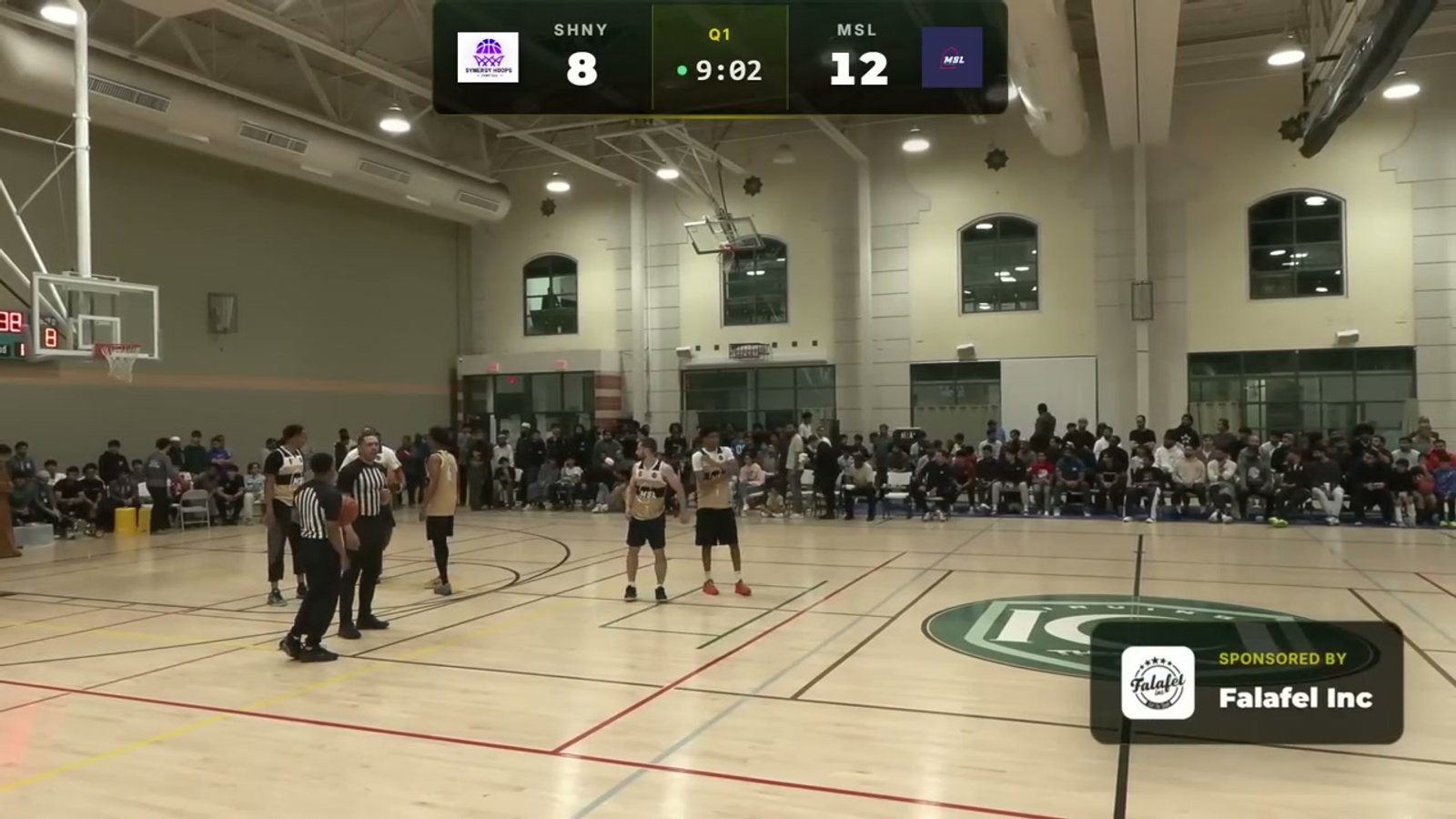
During timeouts and breaks, pop up sponsor logos on the stream. It's something tangible you can point to when talking to local businesses about sponsoring games.
- Set up automated rotation or trigger manually
- Assign sponsors to specific games or the entire season
- Tiered sponsor levels with different display priority
- Animated transitions that look polished, not cheap
Try it on your next stream
The first scorebug takes about 5 minutes to set up. Early bird pricing is $17/month, billed annually.